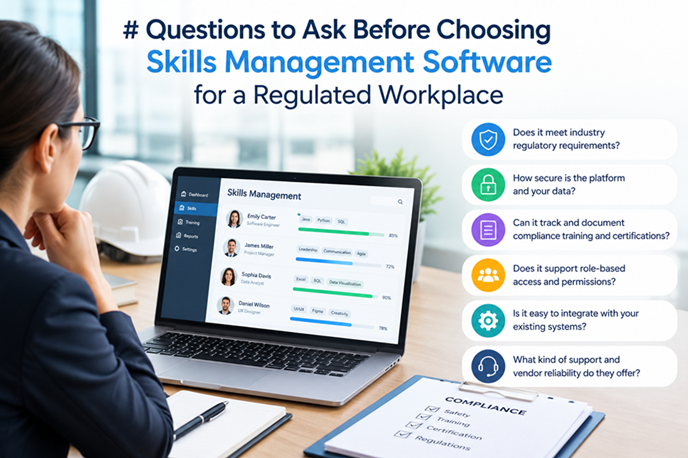
A skills dashboard can look reassuring while leaving a basic question unanswered: what evidence supported the decision to let this person perform this task? For buyers in regulated workplaces, that question belongs near the start of software selection, not at the end of implementation.
The right system depends on your work, applicable requirements and assessment process. A manufacturer, an aviation maintenance organisation and a healthcare provider may need different controls. No feature list, certification badge or vendor promise establishes that a product meets every obligation you face.
Before demonstrations begin, involve operations, training, quality, IT and the people responsible for interpreting your sector’s requirements. Give vendors the same realistic scenarios. The questions below turn those demonstrations into tests of whether the software can support your process.
Table of Contents
ToggleCan we map our requirements without losing local detail?
Start with a role you understand well. List its tasks, required levels, assessment methods and any prerequisites. Include differences between sites or equipment where those differences matter. Ask the vendor to build that example rather than showing a generic library of office skills.
Can the same task require supervised performance for a trainee and independent performance for an experienced operator? Can a site add a local requirement without changing every other site’s framework? Can managers see which version applies?
A useful approach to skills management connects role requirements with evidence of what people can do. Software should preserve that connection as roles change. Ask what happens when a requirement is added, retired or renamed, including how historical assessments remain understandable.
Does the system distinguish learning from demonstrated competence?
Course attendance, a knowledge test and an observed task are different records. Each can contribute useful evidence, but none should silently become another. Ask the vendor to demonstrate a workflow requiring both learning completion and a practical assessment before independent sign-off.
Use an example with an unsuccessful first attempt. Can the assessor record what happened, assign support and retain the original result after reassessment? Can the worker see what they need to practise? Can managers distinguish incomplete evidence from an assessment that found a genuine gap?
Also test a case where observation is not safe or practical during normal production. Your specialists may choose a simulation, controlled exercise or other suitable evidence. The system should support your approved assessment method rather than force every task into a quiz or a single checkbox.
What sits behind each status on the dashboard?
Choose one green cell and ask to see its supporting record. Look for the worker, task, assessment criteria, date, assessor and decision. Where relevant, include procedure version, equipment or site context and any conditions on the result.
Next, ask for the history. Change a result in the demonstration and inspect what remains visible. A correction should not make the original decision disappear without explanation. Establish which events are logged, who can access that history and what administrators can change.
Ask how attachments are linked to records and retained when forms change. A signed checklist is less useful if nobody can tell which task it concerns. Test retrieval from an older assessment, not just the newest example in the demo account.
Can permissions reflect our assessment responsibilities?
An assessor may be approved for one task or site but not another. Ask the vendor to create that restriction and attempt an out-of-scope sign-off. Test both ordinary user and administrator permissions, including temporary access and delegation during absence.
Your organisation must decide which responsibilities need separation. Depending on risk, different people may prepare criteria, assess performance and approve changes. Ask whether the software can implement that model without giving everyone broad editing rights.
Explore what happens when an assessor moves roles or leaves. Their login should no longer provide inappropriate access, while past decisions must remain attributable. Removing an account should not erase the name behind a historical assessment. Ask how access reviews and changes are recorded.
How are signatures and controlled records handled?
First establish with your quality or regulatory specialists which records need particular approval or signature controls. Requirements vary by sector, jurisdiction and intended use. A typed name may be adequate for one internal acknowledgement and unsuitable for another kind of approval.
Ask the vendor to show how a person authenticates a decision, what the signature means and how it stays linked to the record. Then attempt a correction after approval. Can the system preserve the earlier version and route the change through your required process?
Avoid accepting a broad claim that a product is compliant without discussing scope. Request documentation explaining supported controls, configuration responsibilities and any limitations relevant to your intended use. Review that material with the people who will own the process.
What happens when evidence expires or requirements change?
Not every skill expires on the same schedule, and some do not have a fixed expiry. Test separate rules for a credential with a defined end date, a locally scheduled review and a change-triggered reassessment. Check that reports distinguish these reasons for action.
Ask who receives reminders, how lead times are set and what happens when the responsible manager is absent. An alert without an owner does not arrange training or change an assignment. Demonstrate escalation through to a recorded decision.
For restricted work, establish how status changes reach supervisors or scheduling systems. A local extension must never be treated as permission to override a legal or externally imposed restriction. Any exception workflow should reflect what your organisation is actually allowed to approve, with clear limits and history.
Will integrations preserve the meaning of our data?
Ask more than whether the product connects to your HR or learning system. Trace one new starter through the proposed data flow: identity creation, role assignment, learning completion, assessment and reporting. Confirm which system owns each field.
Then test difficult cases. What happens when two records refer to the same person, someone transfers sites or an integration fails overnight? Can users see stale data, resolve conflicts and identify which updates were rejected? Who investigates errors and how quickly do they become visible?
For scheduling links, ask exactly what is transferred. A course completion should not become an independent-work authorisation through an undocumented mapping. Request a sample interface specification and involve the teams responsible for maintaining both systems.
Can workers and assessors use it where the work happens?
Bring frontline users into the demonstration. Ask an assessor to find a worker, open the correct criteria, record an observation and explain a result. Watch where the workflow creates delays or encourages shortcuts. Ease of entry matters, but evidence quality matters too.
Test the devices, connectivity and accessibility needs of your sites. If offline use is necessary, demonstrate how records are stored, synchronised and attributed. On shared devices, check that one person’s session cannot casually become another person’s sign-off.
Ask about language support, readable forms and alternatives for users who need assistance. Plan protected assessment time rather than assuming a mobile interface makes observation instantaneous. The software must fit a sound process, not shorten it until the judgement becomes unreliable.
What support is available for validation and change control?
Determine what assurance your intended use requires before asking vendors for documentation. Where validation or formal testing is needed, agree who defines requirements, assesses risk, executes tests and approves release. Vendor material can support that work without replacing your organisation’s decisions.
Request examples of release notes, test documentation and notifications of changes affecting configured workflows. Ask what control you have over rollout timing and how you can test affected functions. Include integrations and reporting in that discussion, not just the assessment form.
Clarify support responsibilities after launch. If an update affects sign-off or retrieval, who investigates, communicates a workaround and confirms resolution? Put service expectations and escalation contacts into the contract rather than relying on the availability of the sales team.
Can we protect, retrieve and eventually move our records?
Ask where data is stored, who can access it and how access by vendor support staff is controlled. Review security evidence with IT, including the scope and currency of any independent assurance. A badge alone does not describe every service or configuration you will use.
Discuss retention with your own specialists. Establish which records must be kept, for how long and under what access restrictions. Ask how the system implements those decisions, including restoration, deletion and preservation when a dispute or investigation changes the normal process.
Test an export before signing. Include assessment evidence, attachments, version history and the information needed to understand each decision. Agree format, cost, timescale and post-termination access. A record is not portable merely because you can download a list of names and statuses.
How will we judge the pilot and the full cost?
Set pilot criteria before loading records. For example, users should retrieve a complete assessment history, demonstrate permission limits, handle an expiry and resolve a failed data transfer. Choose a manageable group with enough variation to test the difficult cases, not only the cleanest department.
Compare total cost across the same period for each vendor. Include configuration, migration, integrations, user training, assurance work, support and internal administration alongside subscriptions. Identify assumptions about worker numbers, storage, assessors and implementation help that could change the price.
Finally, score vendors against evidence from the agreed scenarios. Record strengths, limitations and any work your team would need to provide. The aim is not to buy the most elaborate dashboard. It is to choose a system that helps people make defensible decisions about work, keeps the supporting evidence understandable and remains usable after the implementation team has left.